


Instantly reply to every customer, every time
Home service businesses rely on SnapPicFix to reply to customers right away, whether they left a message or not.
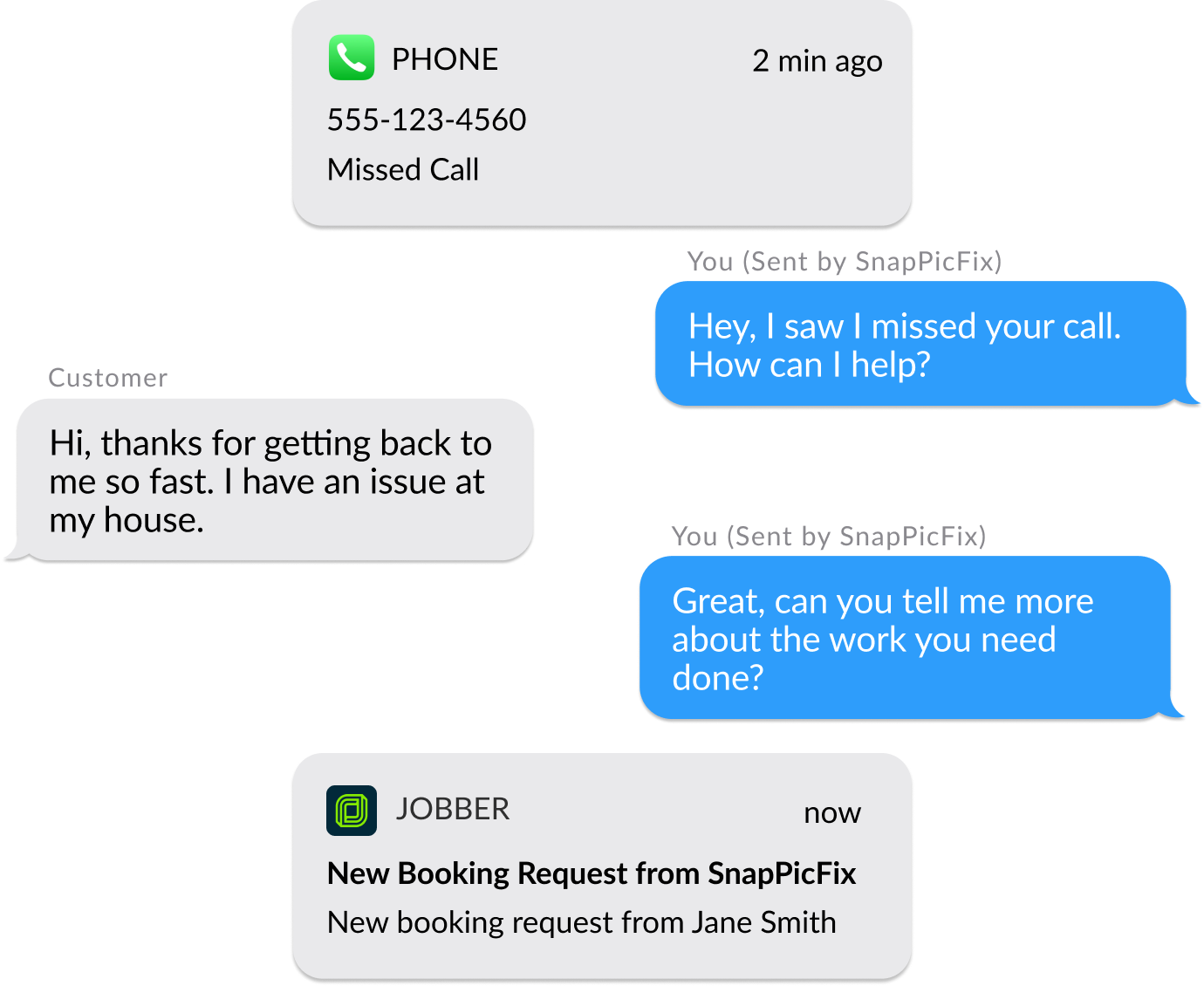

How SnapPicFix Works

1. Customer reaches out
Customer reaches out to you either by calling you, or through Angi, Thumbtack, or Networx.

2. SnapPicFix texts for you
SnapPicFix replies instantly on your behalf with a customized text message.

3. Customer replies
Your customer can share additional info about what they need, their address, and share photos.

4. Info synced to Jobber
All the info from your customer is synced to Jobber, and notifications sent to your phone and/or email.
Instantly followup to win more customers
Be the first to reply
78% of customers buy from the first company to respond to their request. Start a conversation with every lead instantly with texts - that sound like you and your brand.


Turn missed calls into customers
80% of customers don't leave a message, and odds are you're not calling unknown numbers back. And customers are more likely to read and respond to a follow up text than a phone call from an unknown number.
Sync customer data to Jobber automatically
SnapPicFix creates customer records and requests automatically in Jobber. Now everyone on your team can see interactions with your customers and be on the same page.


Create a seamless experience for your customers by connecting SnapPicFix to Jobber.


Trusted by home services businesses like yours

Steve W
Keeping up with Thumbtack was a challenge on the weekends. Now, I know that everyone will get a quick response and I'm booking jobs in my sleep!

Mark M
The jobber integration was a game changer for me and my business. It not only saves us time entering the information, we also know that every leads will be there in the future for marketing campaigns.
Exclusive Jobber Pricing
*Annual plans paid monthly


Monthly plans require a one time onboarding fee of $250.
Frequently Asked Questions
How do I get started?
1. Click one of the "connect Jobber" buttons
2. Answer a few questions about your business
3. Jump on a 15 min call with our team to review
4. Pay for SnapPicFix, and you're ready to go!
Will I still be able to answer the phone?
Yes! Your phone will ring just like it does now. But instead of going to the voicemail on your phone, it will forward to SnapPicFix where your customer will hear your personalized voicemail recording, and then get an instant text reply to start a conversation with you.
How many calls per month do I need to get value from SnapPicFix?
We cater to companies of all sizes. If your average job is valued at least $200, converting one more missed call into a job will make SnapPicFix pay for itself.
Does SnapPicFix work with all cell phones and providers?
Yes! We work with all major cell phone and VoIP providers in the US, ensuring compatibility with your existing setup.
Can I uninstall/stop forwarding my calls to SnapPicFix?
First you'll want to go to Jobber and click "uninstall" from the apps page.
Next you'll want to disconnect your call forwarding. From you mobile phone, dial:
Verizon:*73 <send>
ATT: ##61# <send>, ##62# <send>, ##67# <send>
T-Mobile: ##61# <send>, ##62# <send>, ##67# <send>
Google Voice: From settings, remove linked device
For all other carriers, contact our support.
Do I need to port my business phone number?
No, we only forward unanswered calls. There's no need to port your phone, and if you stop using SnapPicFix you will not need to pay a fee to keep your current phone number.

Create a seamless experience for your customers by connecting SnapPicFix to Jobber.